

\n
\n
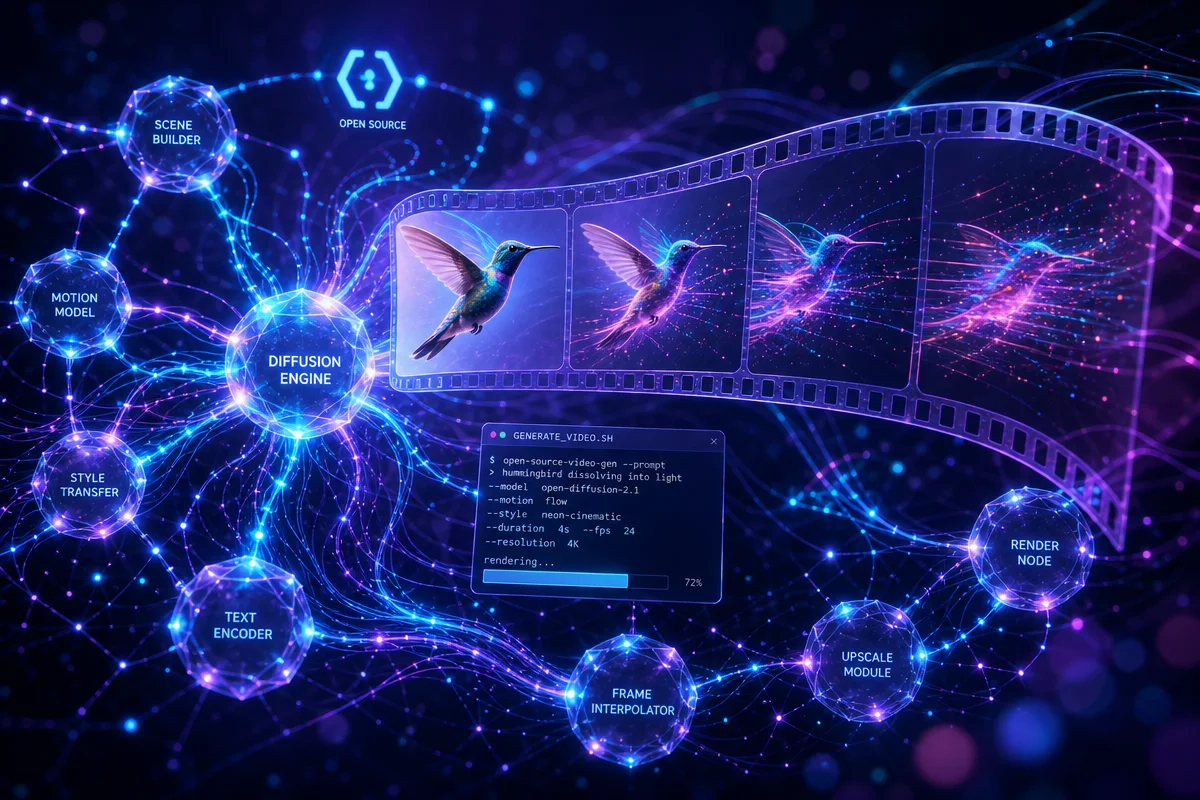
\nImage: Lightricks (GitHub repository social preview)\nLTX-Video’s Draft-Then-Upscale Trick Speeds Up ComfyUI Video Generation
\n
Picture a sculptor working in wet clay before ever touching marble. They rough out the pose, check the proportions, adjust the angle of a raised arm – all in soft, forgiving material that costs nothing to reshape. Only once the composition feels right do they move to stone, where every cut is expensive and permanent. That’s essentially the trick tucked inside Lightricks’ ComfyUI-LTXVideo node pack, and it’s quietly changing how people approach AI video generation: render a rough draft first, then upscale only once you like what you see.
\n
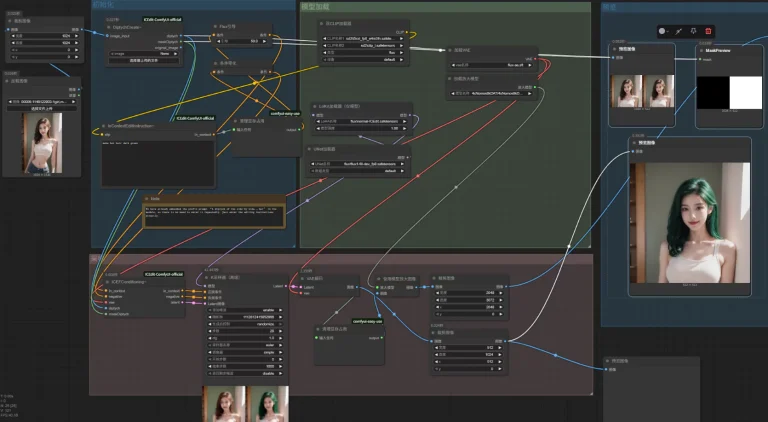
The idea sounds almost too simple to matter. But if you’ve ever waited twenty minutes for a high-resolution video render only to discover the character’s hand phases through a coffee cup, you already understand why a LTX-Video draft upscale workflow is worth the extra step. It separates the cheap question – “does this look good?” – from the expensive process – “render it beautifully” – so you only pay the full cost once.
\n
What is the LTX-Video draft-then-upscale workflow?
\n
\n
\nImage: Lightricks (GitHub repository social preview)
\n
At its core, this workflow means generating a low-resolution, fast draft of your video first, confirming the motion and composition work, and only then running a second, higher-resolution pass to polish the result. It’s a two-stage pipeline rather than a single expensive render.
\n
The logic mirrors how film editors have worked for decades: block the scene in low fidelity, lock the shot, then invest in the expensive lighting and camera pass. LTX-2, the video generation model this workflow builds on, is now built directly into ComfyUI’s core, which means any ComfyUI user already has access to the base model without hunting for extra installs. The ComfyUI-LTXVideo repository adds the machinery that makes the draft-then-upscale pattern practical – custom nodes, packaged workflow recipes, and the specialised tooling needed to move between resolutions without starting from scratch.
\n
That packaging matters more than it might seem. The repository ships an example_workflows directory alongside dedicated tricks and presets folders – a signal that Lightricks treats ready-to-use recipes as a first-class part of the project, not an afterthought bolted onto a raw model release. We’re not expected to reverse-engineer the optimal node graph ourselves; a working draft-to-upscale pipeline is meant to be something we drop in and adapt.
\n
A practical ComfyUI recipe: building the draft-to-upscale pipeline
\n
Here’s the sequence we actually use once we sit down at the graph. Think of it as a shot list – each step earns its place before we spend GPU time on the next.
\n
- \n
- Set the draft resolution and frame count low. We start at roughly 512×288 or 640×360, 65-97 frames, and a modest step count (12-16) on the sampler. This is our thumbnail sketch, not the final frame – we’re checking whether the idea works at all before we commit real compute to it.
- Write the prompt with camera language, not just subject description. A prompt like “handheld tracking shot, low afternoon light, subject walks left to right, shallow depth of field, 24fps cinematic motion” gives the model the same instructions a director would give a camera operator. LTX-2 responds to shot grammar, so we treat the text box like a call sheet.
- Route through the tiled sampler and low VRAM loaders.
tiled_sampler.pyandlow_vram_loaders.pylet us keep the draft pass light on memory, which matters because we’ll be re-running this stage many times before we’re happy – that’s the whole point of a cheap draft. - Review motion and composition at draft resolution, then iterate on conditioning. This is where the Gemma encoder, dynamic conditioning, and prompt enhancer nodes earn their keep. We adjust camera movement, timing, and framing here, at low cost, rather than discovering a problem after the expensive pass.
- Feed the approved draft into the upscale node and
tiled_vae_decode.py. Once the composition is locked, we route the latent through the higher-resolution upscale pass. Tiled VAE decoding keeps this stage from blowing past our VRAM budget even at the higher target resolution. - Finish with the post-processing chain. Looping samplers, HDR handling, and pyramid blending nodes go on at the very end, applied only to the shot we’ve already approved – the equivalent of colour grading a locked edit rather than a rough cut.
\n
\n
\n
\n
\n
\n
\n
Does the draft-then-upscale approach actually save time and resources?
\n
Yes. The evidence is in the specialised nodes the project ships specifically to make multi-resolution rendering viable on real hardware, not just in theory. Running LTX-2 workflows at all requires a CUDA-compatible GPU with at least 32GB of VRAM and more than 100GB of free disk space for models and cache, which is a serious commitment. Iterating at full resolution on that budget is slow and, if we get the composition wrong, expensive in wasted GPU time.
\n
That’s precisely the gap the low-resolution draft stage closes. The repository includes files like low_vram_loaders.py, tiled_sampler.py, tiled_vae_decode.py, and q8_nodes.py – tools built to let us work within memory constraints while still producing usable output at each stage of the pipeline. Tiled sampling and tiled VAE decoding, in particular, are the kind of infrastructure we’d expect if a project were serious about letting people render efficiently at one resolution and then scale up, rather than forcing every attempt through the full-resolution pipeline.
\n
Skeptics might reasonably ask whether a two-pass approach just doubles the work instead of saving it. In practice, it doesn’t, for three reasons: a low-resolution draft renders dramatically faster than a full one, most creative decisions – timing, camera movement, whether the subject does what we asked – are visible at low fidelity, and the expensive upscale pass only ever runs once we’ve already approved the draft. We’re not paying full price twice; we’re paying a small price many times and a full price once. Community engagement backs this up in its own way – with 4.1k stars, 495 forks, and 96 commits, plus 90 open issues and 28 open pull requests, this is a project people are actively building workflows around and contributing back to, not a one-off release nobody touches after launch.
\n
What are the less obvious details of this workflow that creators tend to miss?
\n
The biggest thing people overlook is that the draft-then-upscale trick runs through the entire conditioning and output pipeline, not just the resolution setting. The node pack includes advanced conditioning tools such as Gemma encoder and API conditioning, dynamic conditioning, and prompt enhancer nodes, so the “draft” stage isn’t limited to a blurry preview. We can iterate on how the model interprets our prompt before ever touching the upscale pass, which is a much cheaper place to experiment than after a full render.
\n
On the output side, there’s a similarly overlooked layer: looping samplers, HDR handling, and pyramid blending sit in the same toolkit, alongside post-processing utilities that refine the final pass rather than the draft. The two-stage idea extends outward – draft, refine composition and prompt interpretation, then apply output-quality tooling only at the end. The project is MIT-licenced [citation needed] and open-source, with a pre-commit configuration in the repository, giving it the kind of code-quality discipline that makes it reasonable to build a production pipeline on top of, rather than treating it as an experimental side project. Lightricks itself recommends the easiest on-ramp is through Comfy Manager – accessible via the Manager button or the Ctrl+M shortcut inside ComfyUI – which surfaces the packaged LTX-2 workflows without requiring manual setup.
\n
A compositional checklist for the draft stage
\n
Before we ever route a draft into the upscale pass, we run it against a short checklist – the video equivalent of checking a still frame before we commit it to the darkroom:
\n
- \n
- Camera framing. Is the subject positioned with intent – rule of thirds, centred for symmetry, or deliberately off-balance for tension? A draft that’s badly framed won’t fix itself at higher resolution.
- Motion arc. Does the movement have a clear beginning, middle, and end, the way a well-blocked camera move does, rather than drifting without purpose?
- Easing. Does the motion accelerate and decelerate naturally, or does it start and stop abruptly? Real camera moves – and real gestures – rarely travel at constant speed.
- Depth and focus. Is the intended subject the thing our eye actually lands on, or is the background competing for attention?
- Light continuity. Does the light source and direction stay consistent across the frames, the way it would on a real set?
\n
\n
\n
\n
\n
\n
If a draft fails any of these, we fix it at draft resolution – cheaply – rather than discovering the flaw after the expensive pass has already run.
\n
So, back to that sculptor and their clay. Low resolution isn’t inherently valuable on its own – nobody wants a blurry final video. What makes draft-then-upscale work is that separating exploration from commitment lets us fail cheaply and succeed expensively only once. On hardware where a single misjudged render can burn real time and real VRAM, that separation isn’t a nicety. It’s the difference between a workflow that scales with our ambition and one that punishes every experiment at full price.
\n
Frequently Asked Questions
\n
Q: What is the draft-then-upscale workflow in LTX-Video?\nA: It’s a two-stage rendering approach where creators first generate a fast, low-resolution draft to confirm motion and composition, then run a second high-resolution pass only once the draft looks right, saving time and GPU resources.
\n
Q: What hardware do I need to run LTX-2 workflows in ComfyUI?\nA: You need a CUDA-compatible GPU with at least 32GB of VRAM and more than 100GB of free disk space for models and cache.
\n
Q: Do I need to install LTX-2 separately to use these workflows?\nA: No – LTX-2 is built into ComfyUI core, so the base model is already accessible; the ComfyUI-LTXVideo repository adds extra nodes and workflows for advanced features like the draft-to-upscale pipeline.
\n
Q: How do I get started with LTX-2 workflows in ComfyUI?\nA: Lightricks recommends using Comfy Manager, accessible via the Manager button or the Ctrl+M shortcut inside ComfyUI, to load the packaged LTX-2 workflows.
\n
Q: What tools help with memory-constrained rendering in this workflow?\nA: The repository includes specialised nodes such as low_vram_loaders.py, tiled_sampler.py, tiled_vae_decode.py, and q8_nodes.py, which support memory-efficient rendering across different resolution stages.
\n
Source: https://github.com/Lightricks/ComfyUI-LTXVideo/
\n
This article was researched and written with AI assistance, then reviewed for accuracy and quality. Talulah at Its.That. uses AI tools to help produce content faster while maintaining editorial standards.
\n