
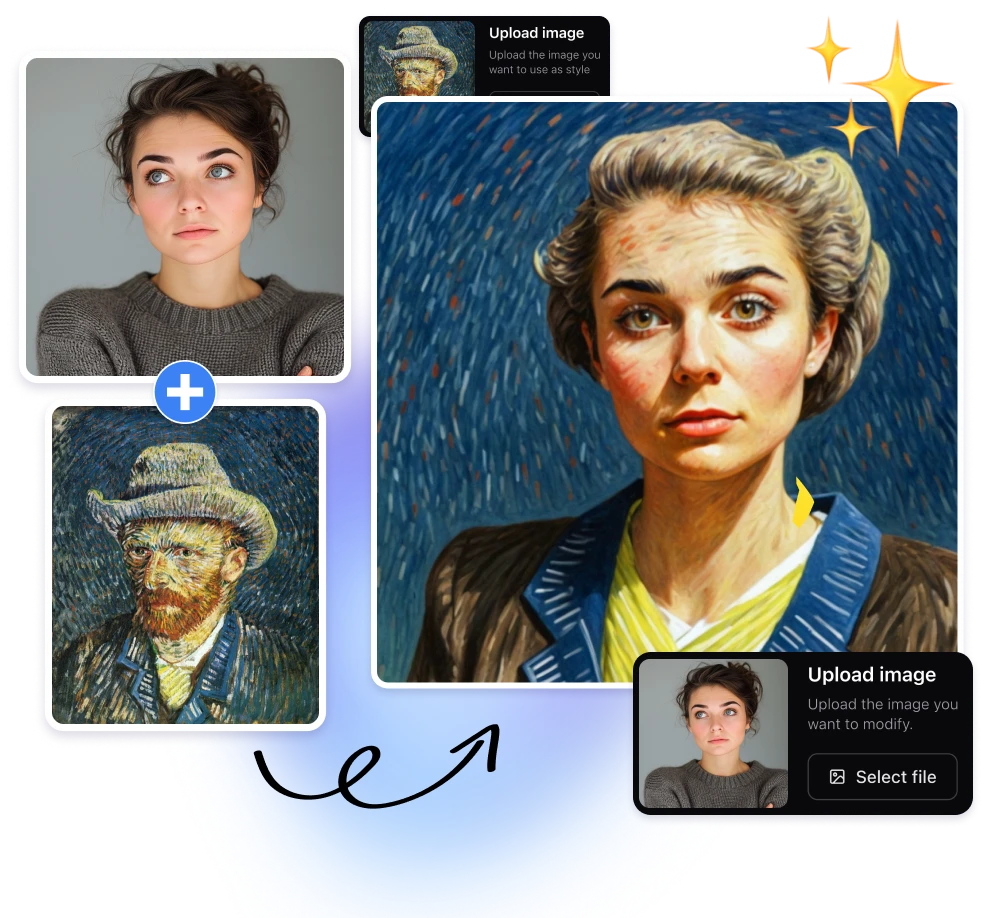
\n
Last updated: May 22, 2026
\n
Using the article:write skill to guide this expansion. Now writing the polished article.
\n
\n
\nImage: ImagineArt\nPicture this: a portrait taken at blue hour, the city dissolving into bokeh behind your subject, their face half-lit by a neon sign. It is a good photograph. Now close your eyes and imagine that same frame rendered in the sombre, cracked-oil palette of a Rembrandt – deep shadows pooling at the collar, amber warmth catching the cheekbone. Or tilted into the flat, graphic geometry of a Hokusai woodblock. Or dissolved into the loose, broken brushwork of the Impressionists. The photograph stays the same. The world it inhabits changes entirely.
\n
This is the promise of AI style transfer photos – and it is no longer restricted to computer science departments or high-end retouching studios. Today, free tools handle the heavy lifting in seconds, translating images across centuries of artistic tradition with a precision that would have seemed implausible five years ago. The question is not whether this technology works. The question is how to use it with the same intentionality we bring to our cameras.
\n
How AI Style Transfer Actually Works
\n
\n
\nImage: ImagineArt
\n
The core idea is separation. A neural network trained on millions of images learns to pull apart two things that are, in any photograph, deeply entangled: content and style. Content is the subject matter – shapes, depth, spatial relationships, the person standing in the doorway. Style is everything else: the way light pools and spreads, the granularity of texture, the specific tonal relationships between colours across the full range of the image.
\n
Once separated, the network re-renders the content through a different visual language. It is not a filter in the traditional sense. When we drag a vintage slider in Lightroom, the software applies the same fixed mathematical transformation to every pixel regardless of what is in the frame. True AI style transfer is generative – it reads the image, understands what it is looking at, and adjusts lighting, colour relationships, and texture based on the specific subject matter. Skin tones are handled differently from foliage. Architecture responds differently from water. The system is reading the image, not simply tinting it.
\n
The foundational research comes from a 2015 paper by Gatys, Ecker, and Bethge [citation needed] – a landmark contribution demonstrating that convolutional neural networks could isolate and recombine content and style with remarkable fidelity. Every mainstream style transfer tool available today, from Prisma to Stable Diffusion’s img2img workflows, owes its lineage to that work. More recently, arXiv research introduced complementary techniques around progressive semantic image simplification – a direction that preserves photorealistic appearance while abstracting form, opening new creative territory for photographers who want something between faithful realism and full stylisation.
\n
Shooting for Style Transfer: How We Set Up the Capture
\n
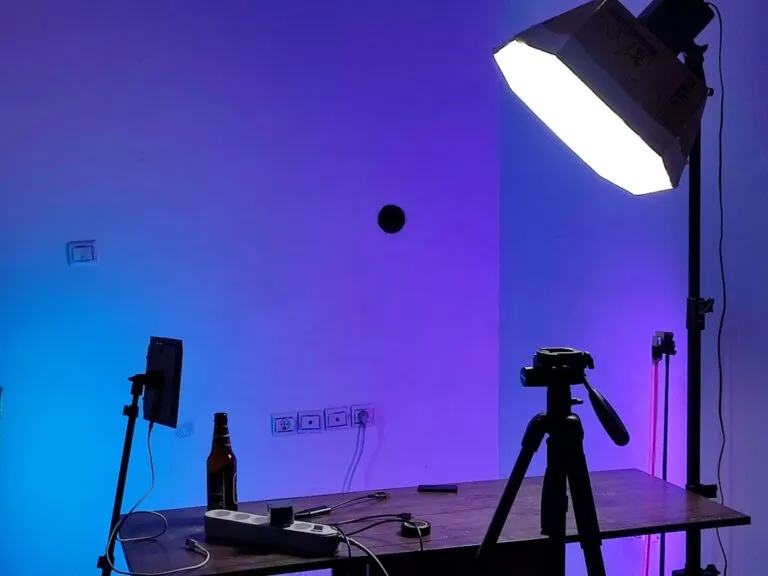
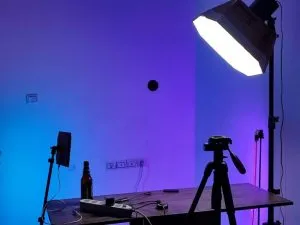
Here is something the tutorials rarely say plainly: we are not shooting a photograph, we are shooting a content layer. The neural network needs clear signal to work with – strong tonal contrast, unambiguous subject separation, and coherent light direction. When we understand that, our capture decisions change.
\n
Light quality over quantity. Hard, directional light creates shadow shapes that the model reads as structural information. A Rembrandt setup – key light at roughly 45 degrees above and to one side, a small triangular highlight on the shadow cheek – gives the algorithm a tonal map it can translate directly into painted form. Flat, overcast frontal light flattens that map. For landscapes, side-raking light picks out surface texture in stone, bark, and water that stylisation engines amplify beautifully. Golden-hour warmth and directionality give the model colour temperature work to do, and it does it well.
\n
Subject separation. We want the focal subject reading cleanly against the background. On a phone, this means using portrait mode to reinforce depth separation, or deliberately positioning the subject against a contrasting background – a dark jacket against a bright wall, a pale face against deep foliage. The cleaner the foreground-background boundary, the more coherently the styled output resolves.
\n
Camera and phone settings we use. For phone: shoot in the highest resolution your device allows, switch to RAW or HEIC if available, and turn off computational photography modes that pre-process the image aggressively (HDR fusion and night mode both flatten the tonal range the model wants to work with). For camera: we tend to expose to the right of the histogram to preserve shadow detail, shoot at base ISO, and apply only minimal in-camera processing. We want a clean, information-rich file going into the stylisation engine – heavy JPEG compression and noise reduction both reduce the signal.
\n
Composition discipline. Leading lines, strong geometric shapes, and uncluttered negative space all help. The Impressionists were obsessed with colour relationships across a picture plane; if we are reaching for that tradition, a frame with clear spatial zones – foreground, midground, sky – gives the model colour fields to interpret. For graphic styles derived from Japanese woodblock or Bauhaus design, we look for strong silhouettes and minimal background detail.
\n
Using AI Style Transfer Photos in Your Workflow
\n
ImagineArt 2.0 Edit sits at the accessible end of this spectrum. The model is purpose-built for editing real photographs rather than generating images from scratch – a distinction that matters enormously in practice. The workflow is clean and fast: upload the photograph, then choose the approach. Text-prompt editing lets us describe a style in natural language, while reference-image matching lets us supply an example image whose aesthetic we want to transplant. Output renders at 2K resolution, and there is no credit card required to begin.
\n
For photographers who already understand their camera craft, the creative leverage becomes clear quickly. A portrait built around deliberate lighting – those sharp tonal contrasts created by split or Rembrandt setups – will translate far more powerfully into painted or stylised renderings because the tonal structure is already doing expressive work in the source image. Our Split, Rembrandt & Short Lighting: Dramatic Portrait Guide walks through how to build those setups intentionally before opening any editing tool. Equally, photographs captured during golden hour carry warmth and directionality that AI stylisation engines read and amplify – Mastering natural light: a photographer’s guide to golden hour sharpens that source material at the capture stage.
\n
Style transfer also performs well on phone photography. The resolution ceiling of modern smartphones is not the limiting factor. What matters is composition, light quality, and how cleanly the subject separates from the background. A portrait shot with deliberate light and a clean background will stylise more coherently than a technically weak DSLR shot – phone or full-frame, the principles hold.
\n
From Raw File to Styled Result: An Edit Walkthrough
\n
Let us walk through a concrete sequence. We start with a portrait shot in Rembrandt lighting, exposed to preserve shadow detail, minimal processing applied.
\n
Step one: prepare the source file. We export at full resolution as a JPEG at 90-95% quality, or a compressed TIFF if the tool accepts it. We do not apply heavy noise reduction – slight grain reads as texture, and stylisation engines often interpret it generatively rather than fighting it. We do apply a gentle curves adjustment to lock in our intended tonal range: shadows sitting around 15-20 on the histogram, highlights not clipping.
\n
Step two: choose the reference approach. For a specific painterly look, reference-image matching almost always outperforms text prompts. We source a high-quality reproduction of the target work – a detail crop of a Vermeer interior, a scan of a Degas pastel – and upload it alongside our photograph. If we do use a text prompt, specificity is essential. “Impressionist” gives the model latitude to interpret broadly. “Late Monet water lilies, soft diffuse light, broken pastel brushwork” gives it a precise visual language to work within.
\n
Step three: dial the blend strength. Most tools expose a strength or intensity parameter. We treat it as a mood dial, not a quality dial. At 30-40%, we are looking at a colour-grade shift and textural reinterpretation – the image still reads as a photograph but with the grain and palette of the reference. At 70-80%, we are pushing toward full stylistic immersion. We almost never go to 100% on a first pass; it tends to flatten the photographic specificity that made the source image worth stylising in the first place.
\n
Step four: evaluate at full resolution. We zoom into the face, the fabric, the background. We are checking three things: edge quality at boundaries, consistency of the light direction in the stylised output versus the source, and whether skin tones are reading as skin or as paint. The best outputs preserve the former while expressing the latter.
\n
What Most Photographers Get Wrong with Style Transfer
\n
The most common mistake is treating style transfer as a rescue operation – applying an artistic overlay to a weak photograph in the hope it masks the underlying problems. It works in the opposite direction. Strong source material produces richer, more coherent stylised output because the neural network has more signal to work with. Think of it the way a darkroom printer thinks about a negative: we cannot print quality that was not captured on film.
\n
Three things consistently produce the best results: a well-lit source image with intentional shadow placement, a clear focal subject with separation from the background, and a specific style reference rather than a vague description.
\n
For photographers who want to go deeper into generative AI workflows and understand how style transfer integrates with broader image synthesis pipelines, our Stable Diffusion v1.3 Guide 2026: Install, Prompts & Workflow covers the technical architecture in practical detail. Understanding the underlying mechanics changes how we write prompts and how we pre-process source images before stylisation.
\n
The photograph we took is not a finished object. It is a content layer – shapes, light, subject, moment – waiting for its style to be chosen. AI style transfer hands us the ability to make that choice not once but repeatedly, non-destructively, across any visual tradition from the last five centuries. The skill that matters is not learning the tools; they are learnable in an afternoon. The skill is knowing what we are reaching for before we open the interface: the mood, the movement, the painterly logic we want our image to inhabit. That is still the photographer’s responsibility. The neural network executes it faster than any darkroom ever could.
\n
Frequently Asked Questions
\n
Q: What is AI style transfer for photos?\nA: AI style transfer uses neural networks to separate a photograph’s content (subjects, shapes, composition) from its style (colours, textures, tonal relationships), then re-renders that content through a different visual language – such as a specific painting style, art movement, or reference image.
\n
Q: Is ImagineArt 2.0 Edit free to use?\nA: ImagineArt 2.0 Edit is available free with no credit card required. It supports text-prompt editing and reference-image matching, and outputs at 2K resolution.
\n
Q: How is AI style transfer different from a standard photo filter?\nA: Traditional filters apply a fixed mathematical transformation to every pixel uniformly. AI style transfer is generative – it reads the specific image, understands its content, and contextually adjusts lighting, colour, and texture based on what is actually in the frame.
\n
Q: Do we need a professional camera for AI style transfer to work well?\nA: No. Phone photography is entirely valid. What determines output quality is the strength of composition, lighting, and the clarity of subject-background separation – not the device used to capture the image. On a phone, shoot at maximum resolution, use portrait mode for depth separation, and switch off aggressive computational processing modes.
\n
Q: What kinds of photographs stylise most effectively?\nA: Photographs with intentional lighting, strong composition, and clear subject separation produce the most coherent stylised results. Dramatic setups – Rembrandt lighting, golden hour warmth, strong directional shadows – tend to translate particularly well into painterly styles because the tonal structure is already expressive in the source image.
\n
Q: How do we control how strongly a style is applied?\nA: Most tools expose a blend strength or intensity parameter. Lower settings (30-40%) produce a colour-grade and texture shift while the image still reads as a photograph. Higher settings (70-80%) push toward full stylistic immersion. We recommend starting lower and increasing gradually, evaluating edge quality and skin tone rendering at each step.
\n
Source: https://www.imagine.art/blogs/ai-style-transfer-imagineart
\n
This article was researched and written with AI assistance, then reviewed for accuracy and quality. Talulah at Its.That. uses AI tools to help produce content faster while maintaining editorial standards.
\n